
Watch a run — Now and Changes
Two views on the issue detail panel, added in v0.2.8 (#215), answer the questions you otherwise dig through the log stream for: what is the agent doing right now? and what has it changed?
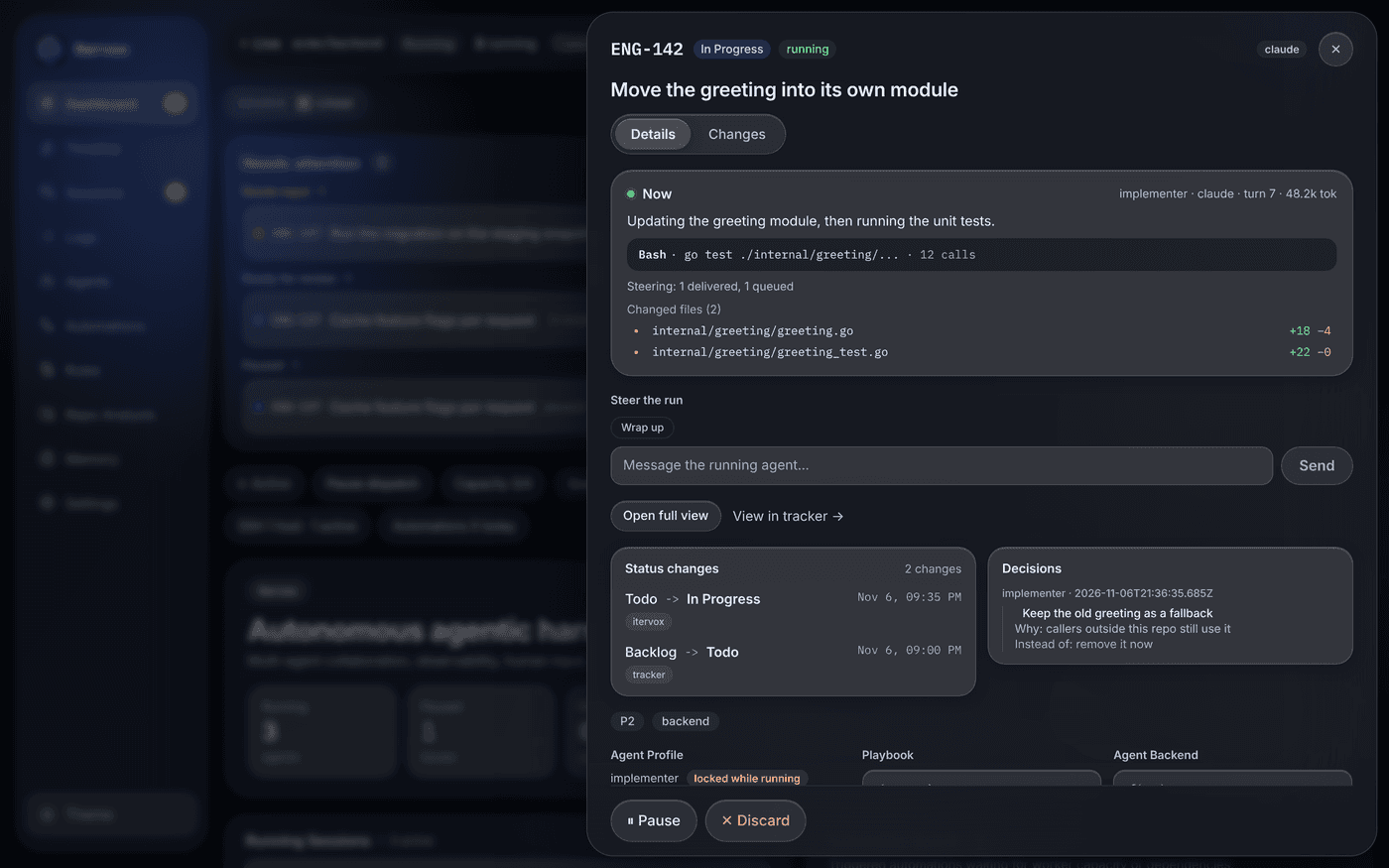
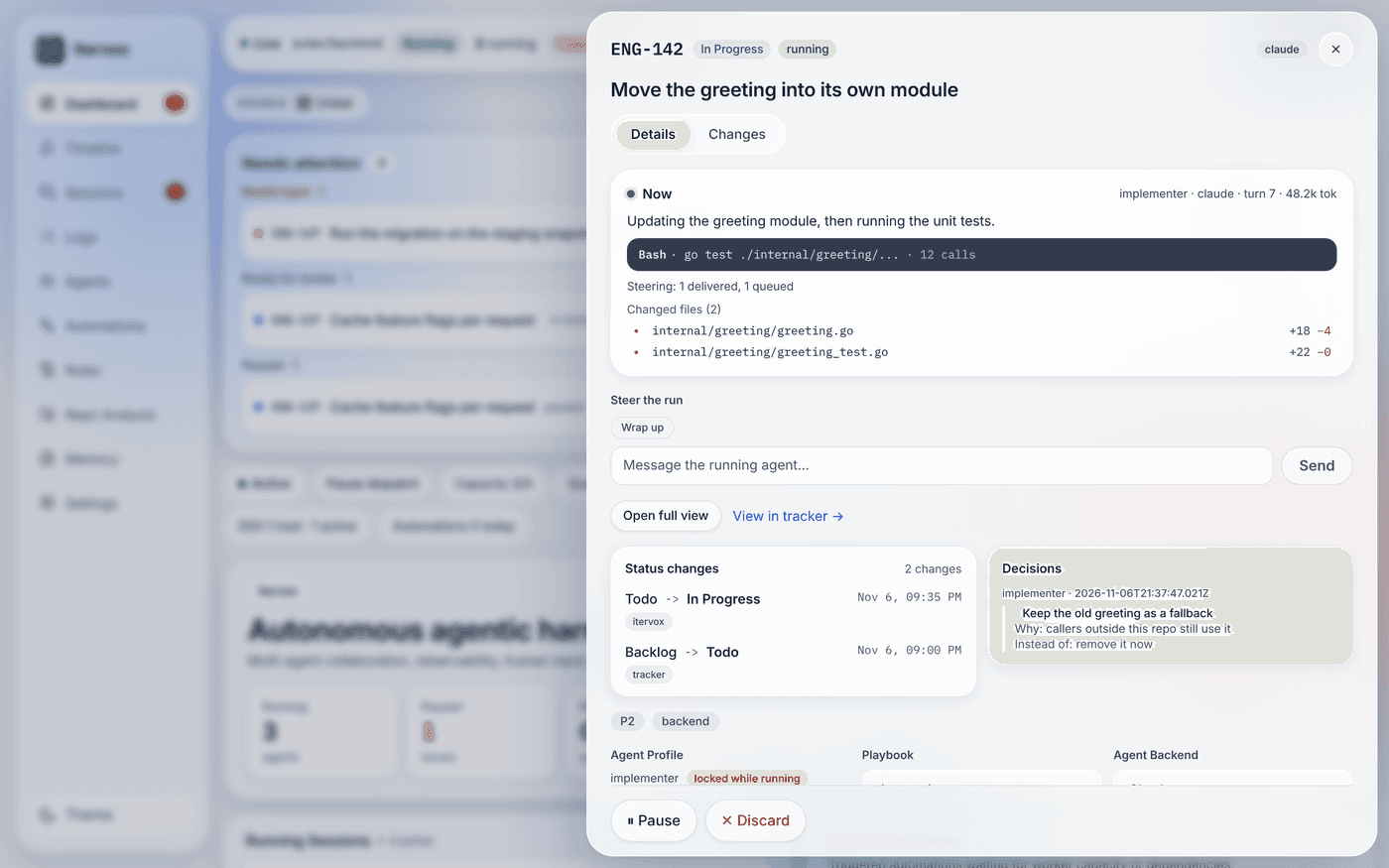
The Now panel sits at the top of an issue’s Details tab while the issue has a run (it reads Last run once the run has finished):
- the profile, backend, turn and tokens so far;
- the current step — the agent’s last message, shortened;
- the last tool call — its name and what it acted on (a file, a command, a pattern), with the number of tool calls so far. The output of a tool is never shown here, or sent by the daemon at all;
- what is waiting on you: an input question or a guardrail approval, queued steering messages, and how many operations guardrails blocked in this run;
- the workspace’s port (
ITERVOX_PORT, see Workspace setup), when it has one; - the files changed so far and the run’s prior handoffs.
- the run’s resource use (CPU, memory, processes, disk I/O, the busiest child commands) and its Activity audit (commands, files, network connections) — see System visibility.
Under the panel, while the issue runs, Steer the run sends a message or a one-click steering phrase to the run. The Details tab also shows the issue’s Playbook and a Decisions timeline: every run’s decision log, oldest run first.
It refreshes every few seconds while the run is live. The daemon updates a
run’s context at most once a second, from the stream it already parses for
the log; text is redacted with the same rules as the logs (API keys, bearer
tokens, NAME_TOKEN=… assignments, URL credentials) before it leaves the
worker.
Changes
Section titled “Changes”The Changes tab lists every file the issue’s worktree changes against the merge base with its base branch — commits, uncommitted edits and untracked files — with additions and deletions. Select a file to see its unified diff. The diff viewer loads only when you open the tab.
- The base is the branch the run’s pull request targets: the blocker’s
branch for a stacked dependent, otherwise
workspace.base_branch. - It works while the issue runs and after it finished, as long as its worktree exists (not after auto-clear or a manual clear).
- A diff is cut at 256 KiB; binary files are listed but not shown.
- File diffs need an operator token. An agent can commit a secret, so a viewer token sees the file list only. Below admin, diffs are passed through the log redaction; an admin sees them as written. See Security & access tokens.
Diffs are computed by git on request, never on the orchestrator’s event
loop, under a 15-second timeout, so a large worktree cannot slow dispatch.
Issue view
Section titled “Issue view”The issue view (/focus) shows one issue on a page of its own: Now
on the left and Changes on the right (stacked on a phone).
- Now has the issue’s run state and tracker state, its title, the agent’s latest step, the last tool call, counters (tool calls, turns, the playbook), the question it waits on with the reply box, and Steer the run while it is live.
- Changes is the same file list and diff viewer as the issue detail’s Changes tab, with the same comment and review actions.
/focus on its own follows the issue that needs you most: an issue
waiting for your input (the one waiting longest), else the most recently
started running issue, else the most recently finished run. It says so
when there is none of these. /focus/<identifier> shows that issue. Open
it from an issue’s detail panel with Open full view, from the command
palette (Issue view, or g i), or the desktop
app’s Go menu, where a project’s window opens on it (see
Dashboard windows).
From the API
Section titled “From the API”curl -H "Authorization: Bearer $TOKEN" http://127.0.0.1:8090/api/v1/issues/ENG-12/contextcurl -H "Authorization: Bearer $TOKEN" http://127.0.0.1:8090/api/v1/issues/ENG-12/diffcurl -H "Authorization: Bearer $TOKEN" "http://127.0.0.1:8090/api/v1/issues/ENG-12/diff?file=web/src/App.tsx"Both endpoints and their fields are in the API reference.
To comment on lines, review the pull request or open a file in your editor from the Changes tab, see Review changes.