
Review changes — draft a review, send it to the agent, review the PR
The Changes tab (Now & Changes) shows what an agent changed. You can act on it there: draft a review of line and range comments with an overall note, send it to the agent in one action (the running agent, or a new run on the issue’s branch when none is live), post it on the pull request, and jump to a file in your editor.
Which diff you see
Section titled “Which diff you see”- Before a PR exists the tab shows the issue’s worktree against the merge base with its base branch, as before.
- Once the issue has a GitHub pull request, it shows the PR’s files as
GitHub compares them (
base...head) — what a merge would apply. - While a run is live a toggle offers PR files and Live worktree: the worktree can be ahead of what the agent has pushed.
If GitHub cannot be read, the tab says so and shows the worktree.
Read the diff
Section titled “Read the diff”- Unified or side by side. The toggle above the file list switches the diff between one column and old and new side by side; the choice is kept in your browser. At phone width the diff is always unified.
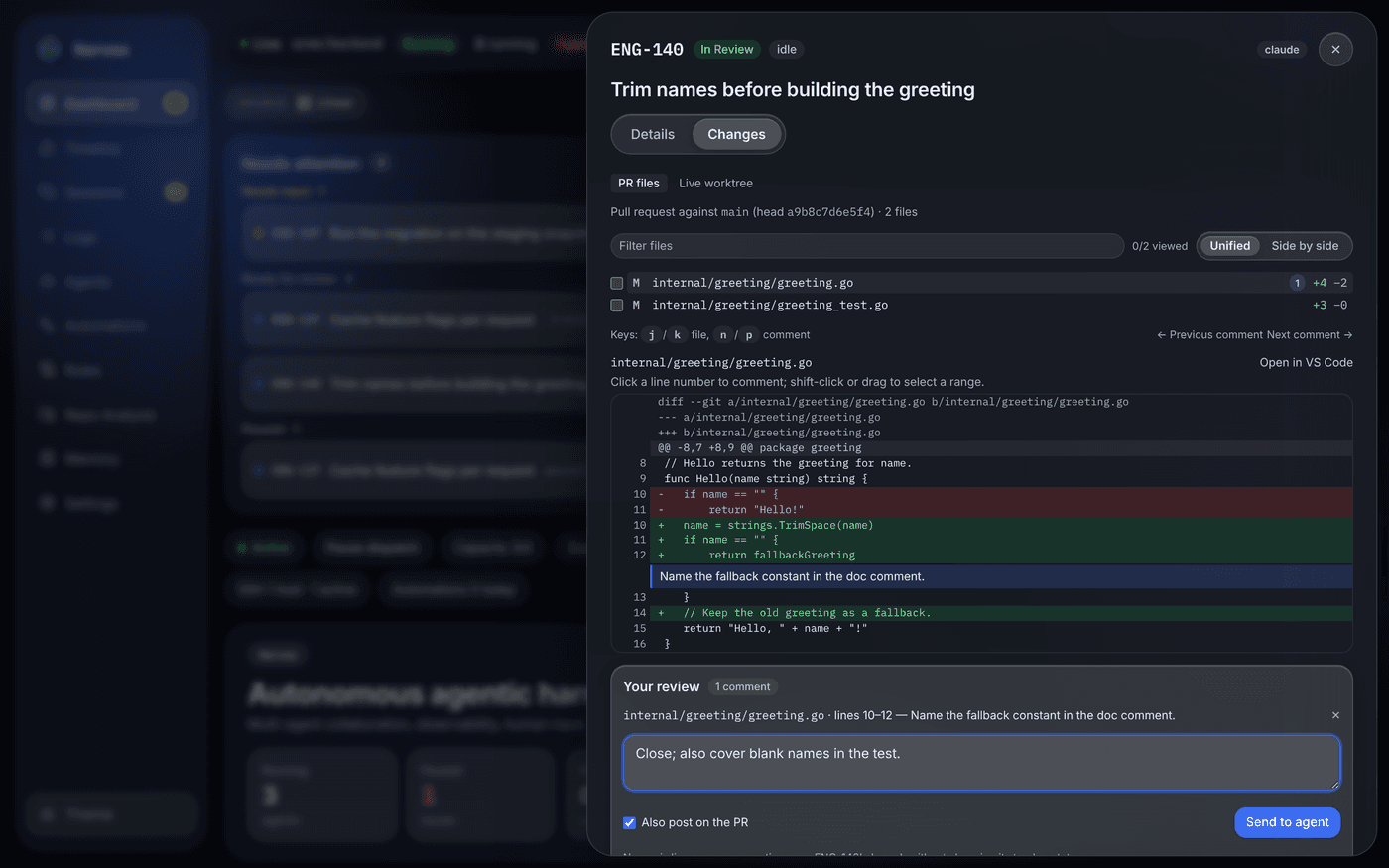
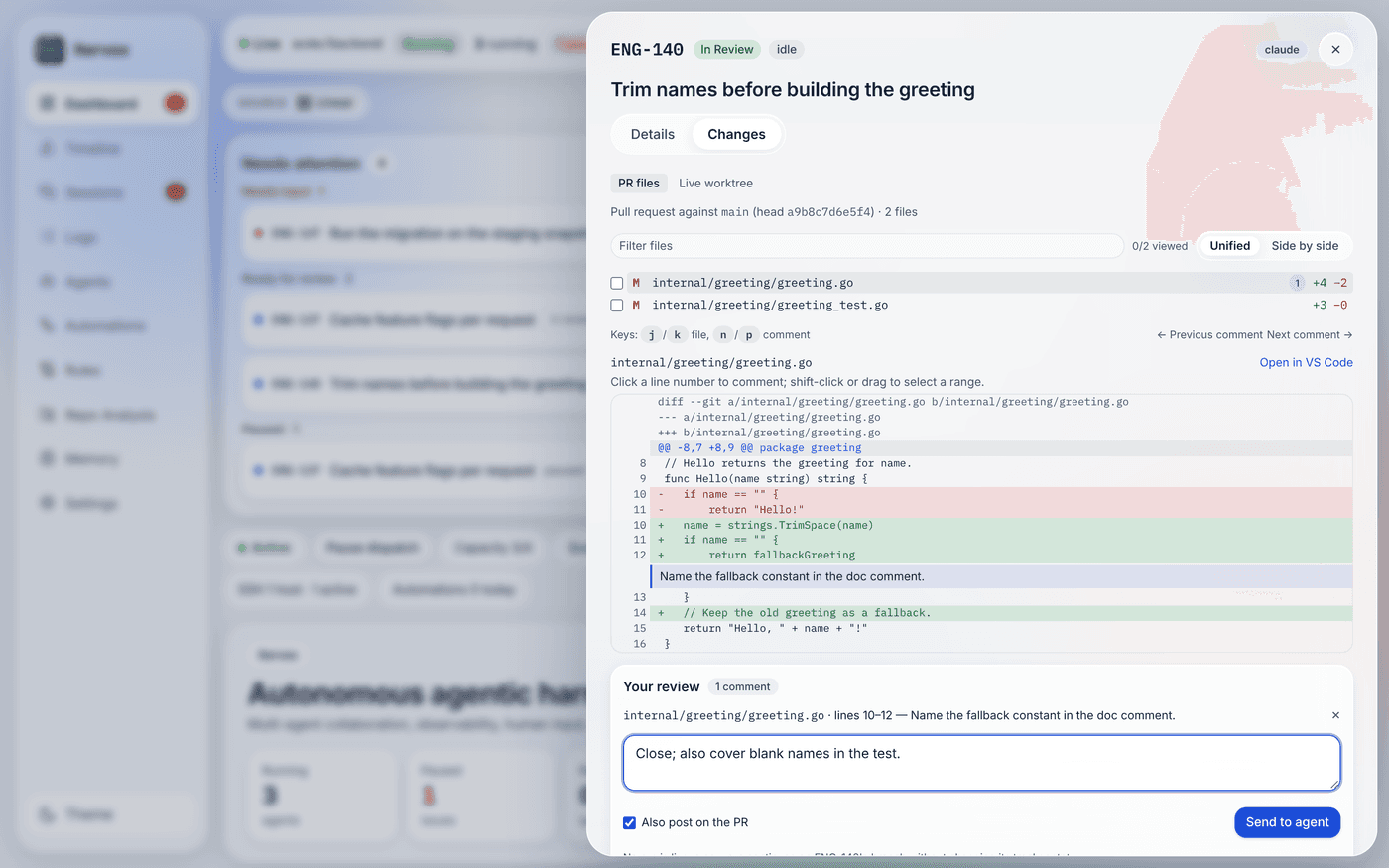
- Filter and viewed ticks. Type part of a path to filter the file list. Tick a file’s box once you have read it: the row dims and the count (“2/5 viewed”) goes up. The ticks last while the dashboard tab is open.
- Keys. With focus anywhere in the tab (not in a text field): j / k open the next / previous file, n / p jump to the next / previous comment of your draft. The keys are listed under the file list, next to Previous comment and Next comment buttons that do the same.
Draft a review
Section titled “Draft a review”Open a file and click a line number to select that line. Shift-click another line in the same hunk, or drag across the line numbers, to select a range. A comment box opens under the diff; Add to review (or Ctrl/⌘+Enter) adds the comment to your draft for this issue. Add as many as you like, across files; each shows under the line it ends on, the file list counts them, and Your review below the diff lists them (click one to jump to it, ✕ to drop it) with an Overall note. The draft lasts while the dashboard tab is open: switching files or tabs, or closing the issue panel, keeps it; a reload does not.
A deleted line comments on the base side of the diff, any other line on the new side, which is how GitHub anchors review comments.
Send it to the agent
Section titled “Send it to the agent”Send to agent sends the whole draft in one action:
-
A run is live: the running agent gets one steering message (the same path as Steer the run) with the note and every comment — the file and lines, the quoted diff lines, then the comment:
Operator review of your changes (2 comments). Address each comment:Overall: Close. Also cover the empty case in a test.1. internal/server/changes.go, lines 12-14```diff+ writeError(w, 500, …)```This should return 404, not 500. -
No run is live: a new run continues on the issue’s own branch. The review waits in a queue that survives a daemon restart; the run that takes it finds it as a handoff file,
.itervox/handoff/<time>_operator-review.md, in its Prior Agent Handoffs. Two checkboxes decide how the run starts:- Move to first active state (on by default; shown only when the
issue is not in an active state): the issue moves back in the tracker
exactly as the board’s Dispatch does, and the normal dispatch starts
it. Unchecked, the run starts without changing the tracker state:
Itervox dispatches it where it is once the usual gates admit it (a free
slot, no dispatch pause, blockers, the backend breaker, the budget), the
run does not move the issue to the working state, and it is not stopped
for being outside the active states. It takes turns like any run, until
the agent is done,
agent.max_turns, a question for you, a stall or turn timeout, or you stop it, and at the end it leaves the issue where it is (no move totracker.completion_state). Moving the issue to a terminal state other thantracker.completion_statestops it. - Also post on the PR (on by default; shown only when the issue has a PR): the comments are also posted as one GitHub review (Comment). If GitHub refuses, a separate error says so; the agent still gets the review.
While a review waits, the tab says so. Once a run took it, its Timeline entry shows Continued from your review (N comments) under Operator messages.
- Move to first active state (on by default; shown only when the
issue is not in an active state): the issue moves back in the tracker
exactly as the board’s Dispatch does, and the normal dispatch starts
it. Unchecked, the run starts without changing the tracker state:
Itervox dispatches it where it is once the usual gates admit it (a free
slot, no dispatch pause, blockers, the backend breaker, the budget), the
run does not move the issue to the working state, and it is not stopped
for being outside the active states. It takes turns like any run, until
the agent is done,
The run works on the issue’s branch even when workspace.auto_clear_workspace
removed the worktree after the last run: the worktree is recreated from the
branch on origin, where the earlier run pushed it.
Review the PR
Section titled “Review the PR”While the tab shows the PR’s files, Review the PR submits the same draft as one GitHub review: Comment, Request changes or Approve, with the overall note as its summary. Request changes and Comment need a note or at least one comment. The draft is cleared once the review is submitted.
Itervox never merges from here. After a review the tab says what still governs the merge:
- the merge policy of the
merge_praction — required checks,agent.merge_block_labels(the PR’s matching labels are listed) and the merge strategy; - the agent reviewers’ quorum (
agent.review_quorum), which your review does not change: it is not recorded as a reviewer verdict.
GitHub does not let an account approve its own pull request. If the daemon’s GitHub credentials opened the PR, Approve is refused with GitHub’s message; Comment and Request changes still work.
Open in editor
Section titled “Open in editor”Each open file has an Open in VS Code (or Open in Cursor) link, and
it follows the selected line. Pick the editor under Settings → Editor;
the choice is stored in your browser. The link opens the worktree on the
daemon’s machine, so it appears only when the dashboard runs on that
machine (localhost). For a remote daemon the tab shows the file’s path to
copy instead.
Credentials and permissions
Section titled “Credentials and permissions”- Reading the diff needs a viewer token; a file’s lines, comments and reviews need an operator token. See Security & access tokens.
- GitHub is reached with the credentials the daemon already uses for PR
events:
tracker.api_keywhen the tracker is GitHub, elseGH_TOKENorGITHUB_TOKEN, else theghCLI’s login. There is nothing to configure. - Every comment and review is recorded on the event
feed as
review_comment_postedorpr_review_submitted_by_operator, with the issue and the PR but never the comment text. The daemon does not log comment text either.
From the API
Section titled “From the API”curl -H "Authorization: Bearer $TOKEN" "http://127.0.0.1:8090/api/v1/issues/ENG-12/diff?source=pr"curl -X POST -H "Authorization: Bearer $TOKEN" -H "Content-Type: application/json" \ -d '{"destination":"agent","path":"a.go","line":14,"startLine":12,"body":"Use gitexec here."}' \ http://127.0.0.1:8090/api/v1/issues/ENG-12/review-commentscurl -X POST -H "Authorization: Bearer $TOKEN" -H "Content-Type: application/json" \ -d '{"comments":[{"path":"a.go","line":14,"startLine":12,"body":"Use gitexec here."}],"note":"Close.","moveToActive":false,"alsoPostOnPR":true}' \ http://127.0.0.1:8090/api/v1/issues/ENG-12/review-continuecurl -X POST -H "Authorization: Bearer $TOKEN" -H "Content-Type: application/json" \ -d '{"event":"request_changes","body":"Split this.","comments":[{"path":"a.go","line":6,"body":"nit"}]}' \ http://127.0.0.1:8090/api/v1/issues/ENG-12/pr-reviewThe routes and their fields are in the API reference.